Phone call via Skype / Zoiper in Scriptcase project

Call a phone number from within a Scriptcase-Form
It’s a simple solution to call a phone number in a Scriptcase project using Skype oder Zoiper (free client for IP phone) to show a link on a Form- or Grid-application. If the user clicks onto the link using his PC or smartphone, Skype (or Zoiper) will be startet and call that phone number
1. Create a new field ‚call_skype‘ and set the property ‚Label Field‘ to YES.
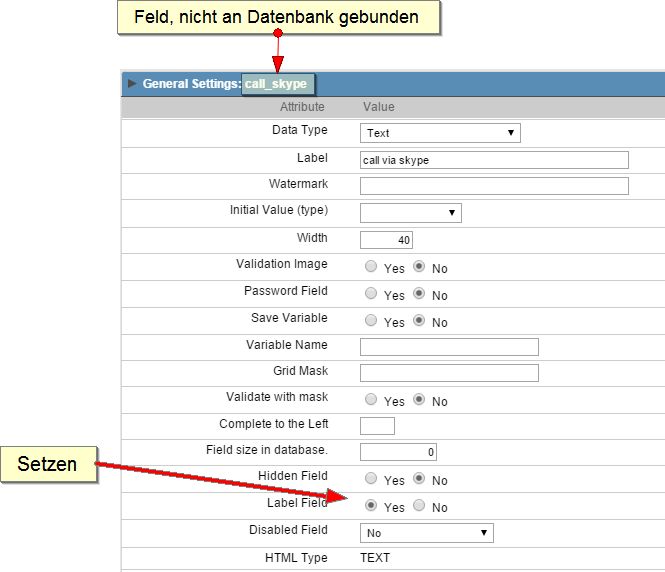
2a. Set the content of the field ‚call_skype‘ in the load event of the form. In this samle we’re using the content of the field ‚phone number‘.:
|
1 |
{call_skype} = "<a href='skype:".$t_call_phone."'>".{phone_number}."</a>"; |
2b. The field ‚call_skype‘ could also be set using an Ajax-Event when entering a new number in the field ‚phone_number‘:
Ajax Event (phone_number_onChange):
|
1 |
{call_skype} = "<a href='skype:".$t_call_phone."'>".{phone_number}."</a>"; |
Sample:
